Sphinx 0.6.3 — a CLI for Agentic Data Science
The latest major version of Sphinx just shipped today, and we’re excited to show you several new features that make data science even more delightful.
- Native integrations with Databricks and Snowflake through the Sphinx Dashboard. This lets you set up permanent account-level database integrations that Sphinx can access anywhere, and augments giving access patterns via Sphinx Rules.
- Notebooks-as-context: Sphinx is an expert at reading notebooks — when you @-mention one or more notebooks in Sphinx 0.6.3, it will use them as much richer context. Example applications we’ve seen already include making a “clean” version of a messy/exploratory notebook, comparing work done in two notebooks, or doing a “data science review” of methods.
- De-cluttering exploratory analysis. Sphinx knows which steps are key parts of an analysis, and which are more exploratory. To help keep your notebook clean, Sphinx can automatically collapse these cells and show a short comment instead. To enable this behavior, go to ⚙️->Settings and enable Collapse-exploratory-cells. Like most behavior with Sphinx, you can tell Sphinx in natural language what “exploratory” means to you, and it will adapt.
- BYO API key for the Sphinx AI Library. In our last update, we enabled Sphinx to leverage LLMs as batch processors for natural language as part of your data science pipelines. As of today, you can configure those LLM calls to use your API keys and your models of choice — Sphinx will automatically leverage the right models in the right places. We’re currently compatible with the OpenAI, Anthropic and Gemini APIs, and any other models that fit those API patterns.
- More steerable add vs. edit behavior. Sphinx was previously strongly biased to adding new cells, versus editing existing ones. Based on your feedback, we have weakened this prior — Sphinx will now edit cells when it makes sense, and you can steer Sphinx via prompts or Sphinx Rules to adjust this behavior to your preferred coding style.
- Sphinx is now compatible with Windows! Sphinx can run kernels and notebooks on Windows machines natively via VSCode.
- Many more upgrades under the hood, including being able to @-mention individual cells, an overhaul of our memory-generation algorithm and improvements in Sphinx’s ability to seamlessly go between SQL and Python.
But our biggest update today sits outside of the Sphinx IDE layer — we’re now exposing Sphinx’s inference engine as a CLI tool, installable via pip from PyPI. You can get started and see docs:
pip install sphinx-ai-cli

sphinx-cli --help
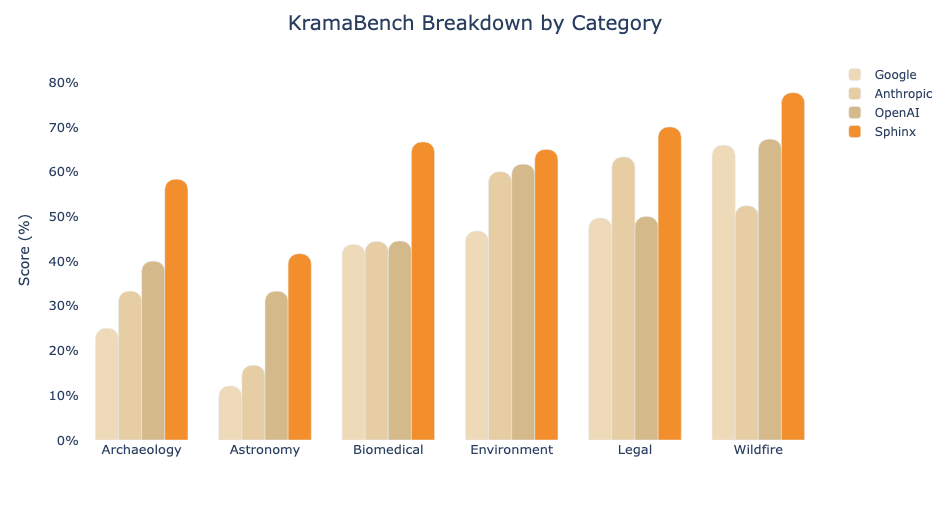
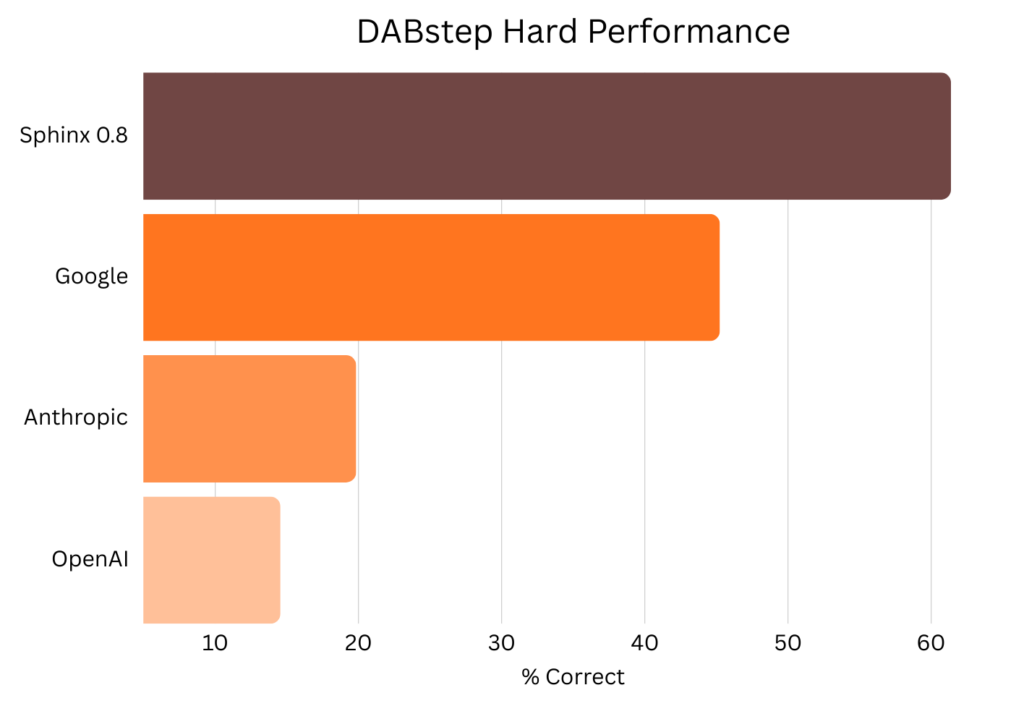
Our research team uses the CLI internally for experiments and benchmarking at scale. Some of our favorite features:
- You can run Sphinx against an existing notebook server (locally or remote on any cloud), or let Sphinx spin up ephemeral local compute to get the job done.
- Sphinx’s ephemeral compute is run in an isolated environment (so be sure to use absolute paths in your prompts), and can be efficiently parallelized across multiple requests
- Even in CLI mode, Sphinx generates a log of thoughts. If you open a notebook written by Sphinx CLI inside Sphinx Copilot, these thoughts are automatically made into a new (somewhat one-sided) chat that you can jump into and explore interactively.
- You can create and manage API keys from the Sphinx Dashboard, and use them to authenticate to the CLI in non-interactive settings
See the CLI in action below:
Our CLI is still in early beta with some rough edges — we’d love your feedback on where we can make it more useful for you!